
Our offer for customization for Repetier-Host
If you want a customized version version of Repetier-Host for Windows, we can offer them for 2199,- Euro for one year excluding VAT. Renewals cost 1190,- Euro per year excluding VAT.
Your advantages:
- Get a digitally signed Repetier-Host with your own branding.
- Get listet as distributor of your Host in “About Us”.
- Your drivers and all printer, slicer and filament settings are already included, your customers get a PLUG & PRINT EXPERIENCE.
- Less support questions and satisfied customers with your predefined presets.
- No personnel and hardware costs for expensive software development.
- With constant updates, the software remains always up to date as long as your support continues.
For additional 599,- Euro per year you get this extra customization (Windows):
- Own program icons to use your icon as desktop icon. We have to change these icons for each update manually.
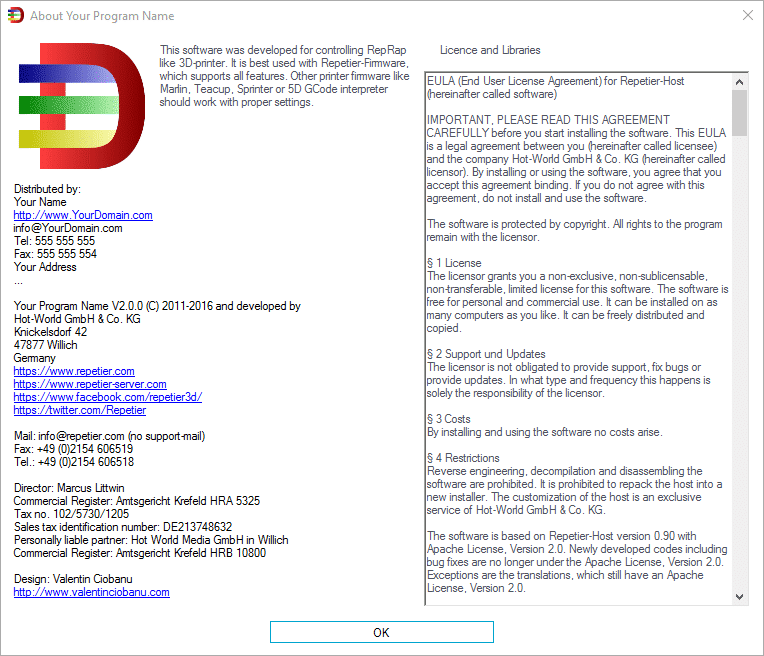
- You can also set your logo in the about us window.
- As a special bonus, you can choose the program name freely. Repetier-Host must no longer occur in the program name, so you get a perfect branding.
What customizations are possible
Digital Signed Installer
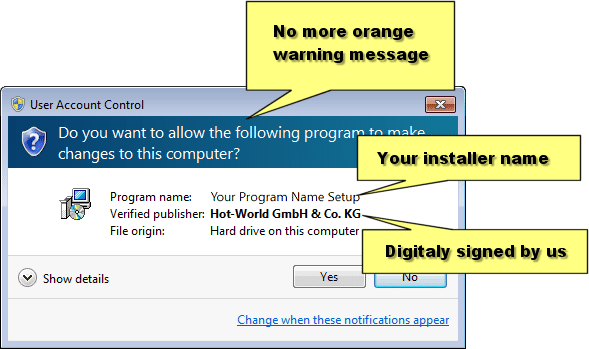
For better trust and to detect changes by trojans or viruses we sign our installers, so Windows 8 users have no problems installing the software. When someone modifies the installer, the certificate gets invalid.
Setup Wizard
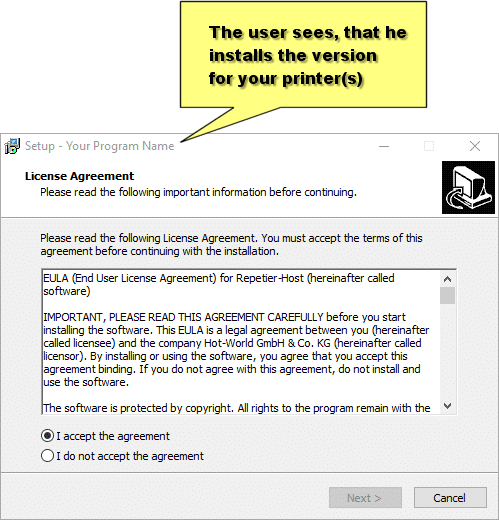
Your setup will of course contain your name, so the user directly knows, he is installing the right version for your printer(s).
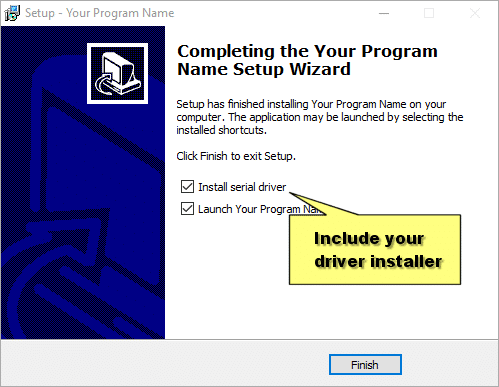
Of course we can also include your driver installer, if you have one. If you have an unsigned driver, we can sign it for you, so Windows 8 users will get no problems.
The Host
A splash screen shown at startup with some picture of your printer or what ever you want to show there. Size something around 500×400 pixel. Different sizes are possible.

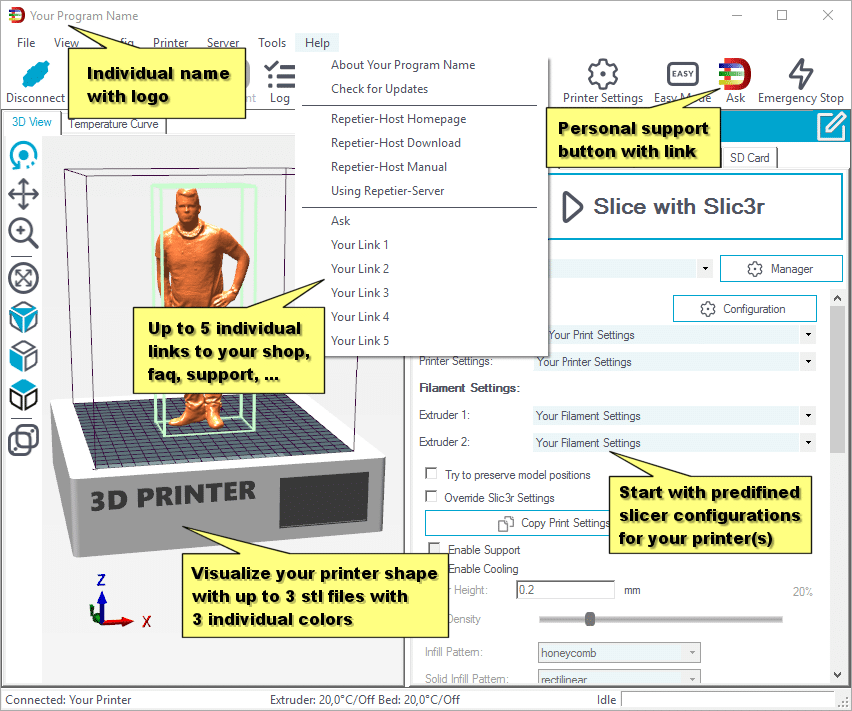
- A name appended or prepended to the Repetier-Host String in the main window as well as to the installation folder and registry folder.
- An additional help button “Ask xyz” in the help menu and if you send a 32×32 pixel png with transparency also in the toolbar.
- Up to 5 additional links in help menu.
- Optional listing as distributor for your own version.
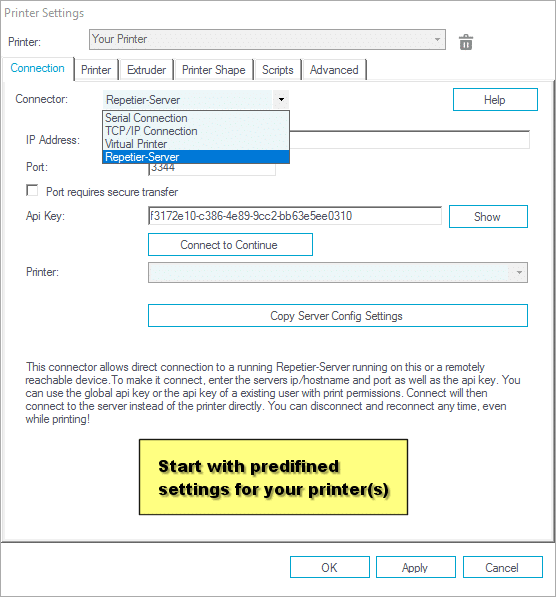
- Predefined settings for your printer configuration.
- Predefined slicer configuration. We need 2 folders for the Slic3r and Skeinforge configuration you want to have bundled. These files are written only if there are no files with the same name present. That way user changes do not get overwritten.
- Visualize your your printer shape with up to 3 stl files with 3 individual colors for extra customization.
- You can show a gcode on the first and only first startup to offer something to print in the first run. Give us a copy of the gcode and it will be loaded on first start. After that it is part of the history and can be loaded until it vanishes from history.
- Remove the power button from manual control.
- Remove Skeinforge from Host.
All options are optional, no need to take them all.
Individual Functions
Since Repetier-Host 0.95 we use a plugin architecture. This allows us to add additional menue points with special functions. This service is not included in the standard price for a custom host, but we can offer this to an individual rate. If you are interrested, please contact us with a description of your wanted feature.
How to Get
If you are interested in your own custom host, please contact us at info@repetier.com.
Here you see a list of required data. It’s not much work for you. Mainly the data you have have set for your printer, your slicer profiles and the links, splashscreen, driver installer and answers to the options. When we get all required data, you will normally get your customized host within two business days after payment.
You need even more flexibility? – Get source code access!
You want a really individial solution with your own software, that fits perfectly to all your wishes?
You want to start rapidly with your own software design?
In this case we can offer you access to our source codes of Repetier-Host for Windows, Linux and Mac, so that you can build your own software with our competence as starting condition.